

Everything you need, in the My Virgin Media app
Manage your broadband, TV and mobile in one place, pay bills, check usage, manage Wi-Fi, get support, enjoy monthly competitions and access personalised offers.


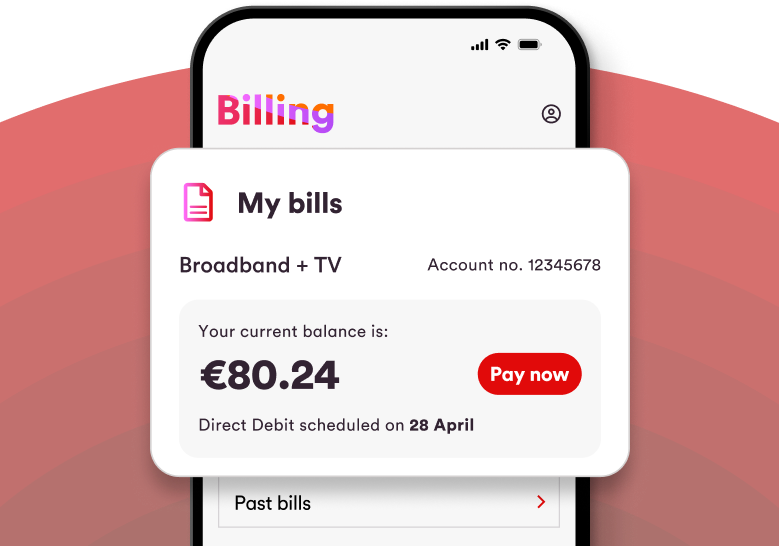
Billing made simple
View and download bills, make secure payments, set up or manage Direct Debit, and track your payment history, all in one place.
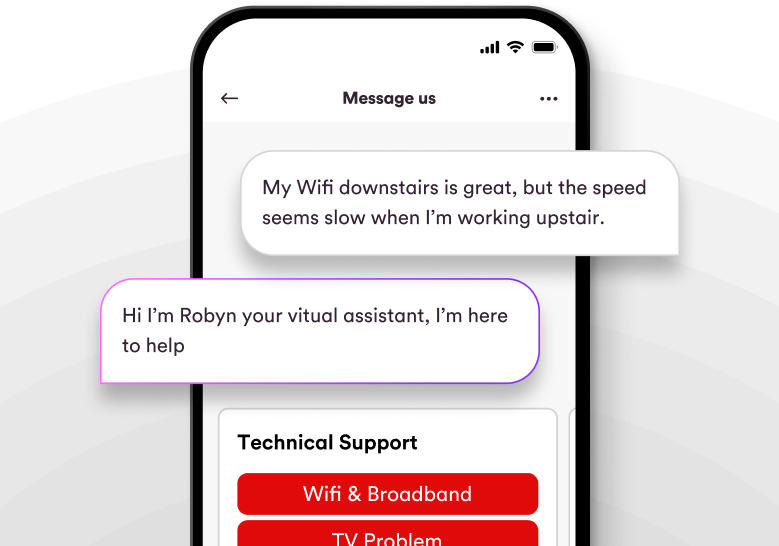
Always on Support
Get help when you need it with clear FAQs and step-by-step guides, chat support, and tools to manage your Wi-Fi network.
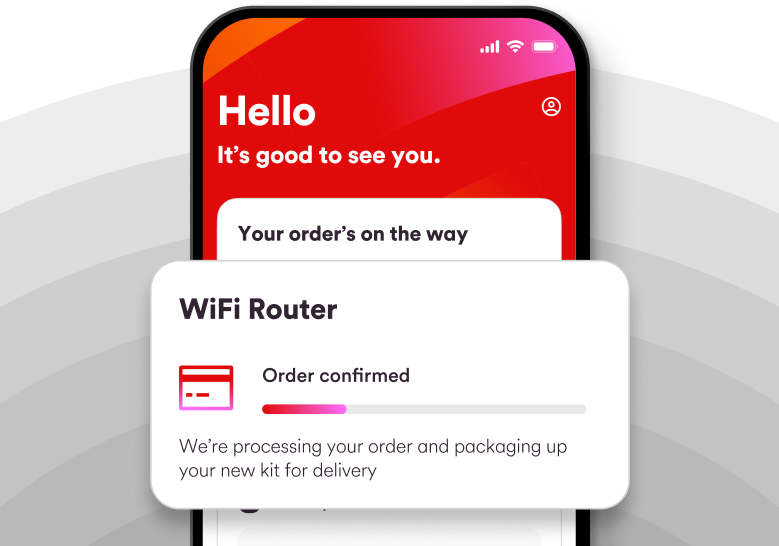
Stay in the loop
Track orders, manage appointments, view usage, and get updates through My Messages, all directly in the app.
App exclusives & competitions
The My Virgin Media app gives customers access to exclusive perks, monthly prize draws, and competitions you won’t find anywhere else.

I'm absolutely delighted! I won a Samsung Galaxy S25. I entered the competition on the My Virgin Media app. I use the app a lot. It is very handy to check your bills & other things. Thanks a million Virgin media.
Alison, Dublin
I won the Mega Tech Bundle competition and I am absolutely delighted, it is a fantastic prize! The My Virgin Media app is really useful and I will continue to use it. Thanks so much!
Sinead, Dublin
Why customers use the app
Save time
Get things done quickly, without calling or waiting.
Stay informed
See updates, progress, and important information in one clear place.
Get help faster
Find answers, fix issues, or chat to support whenever you need it.
Manage everything
Bills, services, appointments, and support, all together in the app.
FAQs
Is the My Virgin Media App free?
Yes, the My Virgin Media app is free to use and can be downloaded from the App Store and Google Play Store.
How do I register for the My Virgin Media app?
Register in a few simple steps. Download the app, select Register, and follow the on-screen instructions. You’ll need your email address, account number, and mobile phone number - these must match the details on your account.
How do I sign in to the My Virgin Media app?
Sign in using your registered email address (this is your username) and password.
What can I manage in the My Virgin Media app?
You can manage Broadband, TV and Mobile services all in one place - view and manage your bills, track usage, manage your Wi-Fi and so much more.
Can I update my marketing preferences in the app?
Yes, you can update your marketing preferences directly in the app.
What languages are supported in the app?
The app is available in English.
Can I use the app on more than one device?
Yes, you can use the app on multiple devices.
How often are app competitions run?
Competitions run monthly and are exclusive to the My Virgin Media app.